Blog · September 30, 2026 · 7 min · Tools & Stacks
Sorting emails automatically with AI: my n8n agent for a few cents a day
Three years of working with AI, and I was still sorting my inbox by hand. How I built a sorting agent with n8n, Outlook and Azure OpenAI, and what my LinkedIn post about it didn't quite get right.
TL;DR
- I built a small AI agent with n8n that tidies up my Outlook inbox twice a day. Client requests, invoices and newsletters each land in their own folder.
- The model costs about 3 cents a day. The honest total, though, is driven by the server, not the model.
- My LinkedIn post said the AI runs “on German servers”. When I checked, that turned out not to be quite true. I explain why below.
The cobbler’s children have no shoes
I’ve been working with AI for more than three years and build agents and automations for clients. Yet I still sorted my email by hand every day: newsletters, client requests, invoices and tool notifications, all in one inbox. At some point it was so full that I only saw important emails in the evening.
The absurd part: technology was never the problem. n8n is part of my daily work, and an automation like this takes an afternoon. I simply never got started. That’s the same pattern I see in many companies, by the way. It rarely fails because of the technology. It fails because nobody builds the first workflow.
What the agent does
The setup is deliberately small:
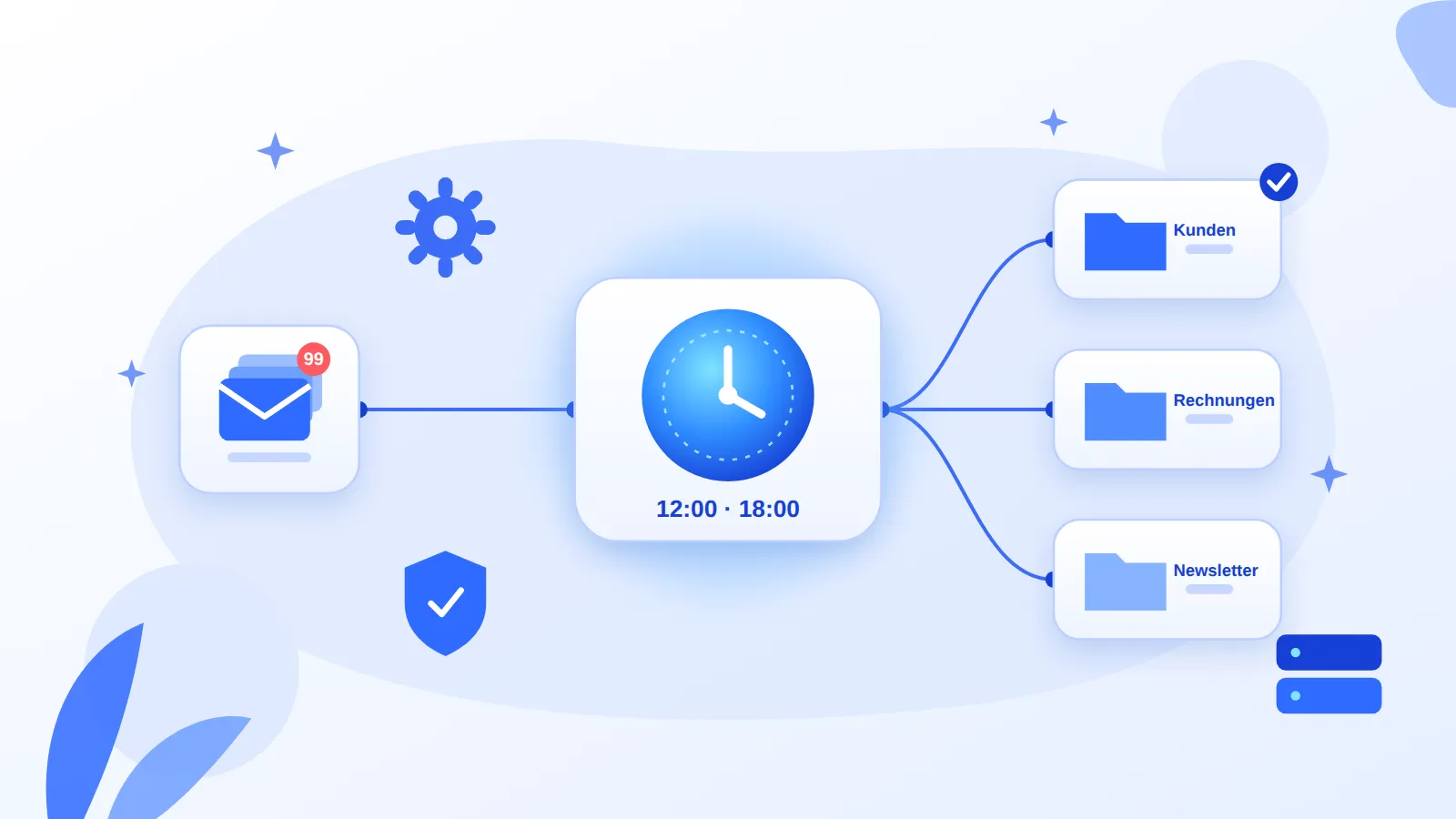
- Twice a day, at noon and in the evening, an n8n workflow starts on a schedule.
- It fetches all new emails from my Microsoft 365 mailbox via the Microsoft Graph API.
- An AI agent running GPT-5.4 mini on Azure OpenAI reads each email and assigns it to exactly one category.
- n8n then moves the email into the matching folder.
One thing mattered to me: I still see incoming mail live. The agent doesn’t sort every single email instantly. It tidies up at fixed times instead, so the tidying doesn’t become a distraction of its own. On a busy day when I can’t keep up, I work through the client-requests folder first. I read the AI newsletters in the evening.
Three things I built this way on purpose
The AI only decides the category. The model returns one value from a fixed list, nothing else. Moving emails, error handling and special rules are ordinary n8n logic. That’s cheaper, and I can always trace why an email ended up where it did.
When in doubt, the email stays put. A misfiled client request is worse than an unsorted one. So unclear cases simply stay in the inbox.
Corrections make it better. When the agent gets something wrong, I move the email back. I add those cases as examples to the model’s instructions. No training, no effort, and accuracy improves week by week.
What it really costs
My LinkedIn post said 3 cents a day, so under €1 a month. That’s true for the model. I recalculated it for this article with current Azure list prices. At roughly 40 emails a day and about 1,000 tokens per email, you end up at around 4 US cents a day. That checks out.
What I left out was the server, and it has just become more expensive. The smallest suitable server at Hetzner (CX23) has cost €5.49 per month excl. VAT since 15 June, up from €3.99.
| Item | Cost per month | Note |
|---|---|---|
| Language model (GPT-5.4 mini, Azure) | approx. €1 | measured, about 3 cents a day |
| Server (Hetzner CX23) | €5.49 excl. VAT | price since 15 Jun 2026 |
| n8n (Community Edition) | €0 | self-hosted, internal use |
| My time for updates | not zero | n8n had several critical vulnerabilities in 2026 |
So the honest total is closer to €7 a month than €1. The server runs other workflows too, though. And compared with the time I no longer spend sorting every day, it’s still a bargain.
The last row in the table matters to me. If you self-host n8n, you have to take updates seriously. The “Ni8mare” vulnerability (CVE-2026-21858) received the maximum CVSS score of 10.0 in January 2026. Updates therefore belong on a fixed schedule, and the editor should not be exposed to the open internet.
Where my LinkedIn post was wrong
I had written that OpenAI runs via Azure “on German servers”. My Azure project is in the Germany West Central region, so that’s what I assumed. While researching this article, I checked. According to Microsoft, GPT-5.4 mini is only available in that region as a “Data Zone Standard” deployment. The data stays within Microsoft’s EU Data Boundary, but it may be processed in another EU data centre, not necessarily in Germany.
For my inbox that’s perfectly fine: processing stays in the EU, which is what mattered to me. But it’s a good example of something I keep seeing with clients too. The region in the Azure portal doesn’t automatically tell you where the model runs. If you really need “Germany only”, you have to check per model or fall back to a locally hosted model. There’s more on data protection in AI in my glossary.
What I take away from this
- The first workflow is the hardest, mentally rather than technically. The obstacle was never n8n. It was deciding to set aside an afternoon for it.
- An agent doesn’t need a big task. A single, narrowly defined decision (“which folder?”) is enough for AI to make a noticeable difference in everyday work.
- Fact-checking pays off, including your own claims. Two numbers from my own post shifted when I checked them. That’s exactly why I write articles like this one.
If you want to know what n8n costs in a business setting, how to run it in line with GDPR, and when custom code becomes the better choice, we’ve written it all up at TAISC: n8n for business: workflows, pricing, GDPR and limits.
And if you have a process where you keep thinking “this should just happen automatically”, that’s exactly what I like to discuss in an AI sparring session. Or get in touch directly via the contact page.